
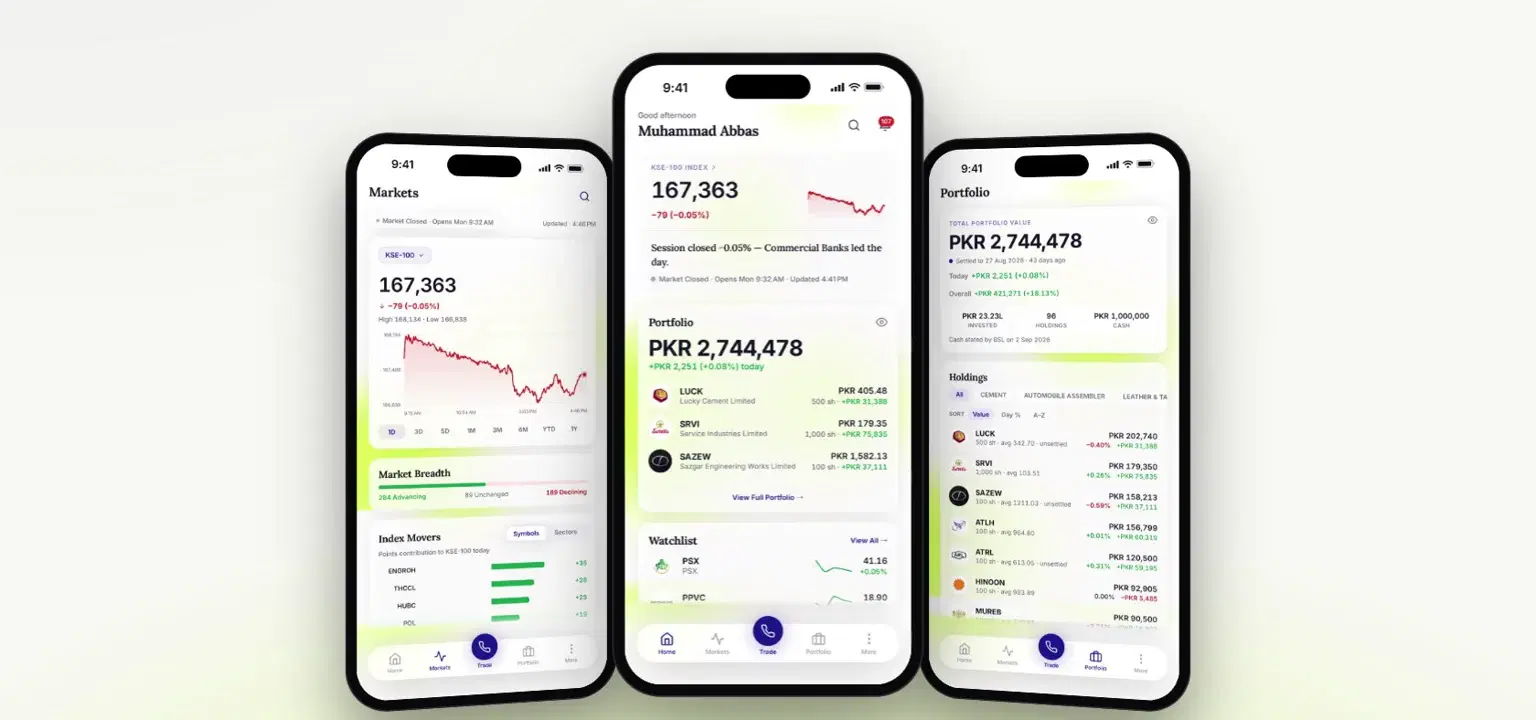
PakPaisa is Bhayani Securities' app for BSL clients, free on iPhone and Android. It brings real-time PSX prices, your portfolio and profit or loss, company filings summarised by AI, price alerts and your dedicated broker into one app, so you can check the market and know where you stand in a few taps.
This guide covers what the app does, how trades and payouts settle, and how to get set up. If you're ready now, download PakPaisa from the App Store or Google Play.
Why We Built PakPaisa
We built the app so a BSL client can follow the market, their own holdings and the latest company filings in one place, without switching between a price app, a statement and the PSX website.
We built it in-house rather than renting a vendor's platform. That lets us decide what goes on every screen and keep improving it. The result puts the whole PSX and your own account side by side, with your broker never more than a tap away.
What You Can Do in PakPaisa
Each part of the app answers a different question about your money.
| Part of the app | What you see | Why it helps |
| Home | Portfolio value, your watchlist, what's trending on the PSX and the latest news | Your day at a glance |
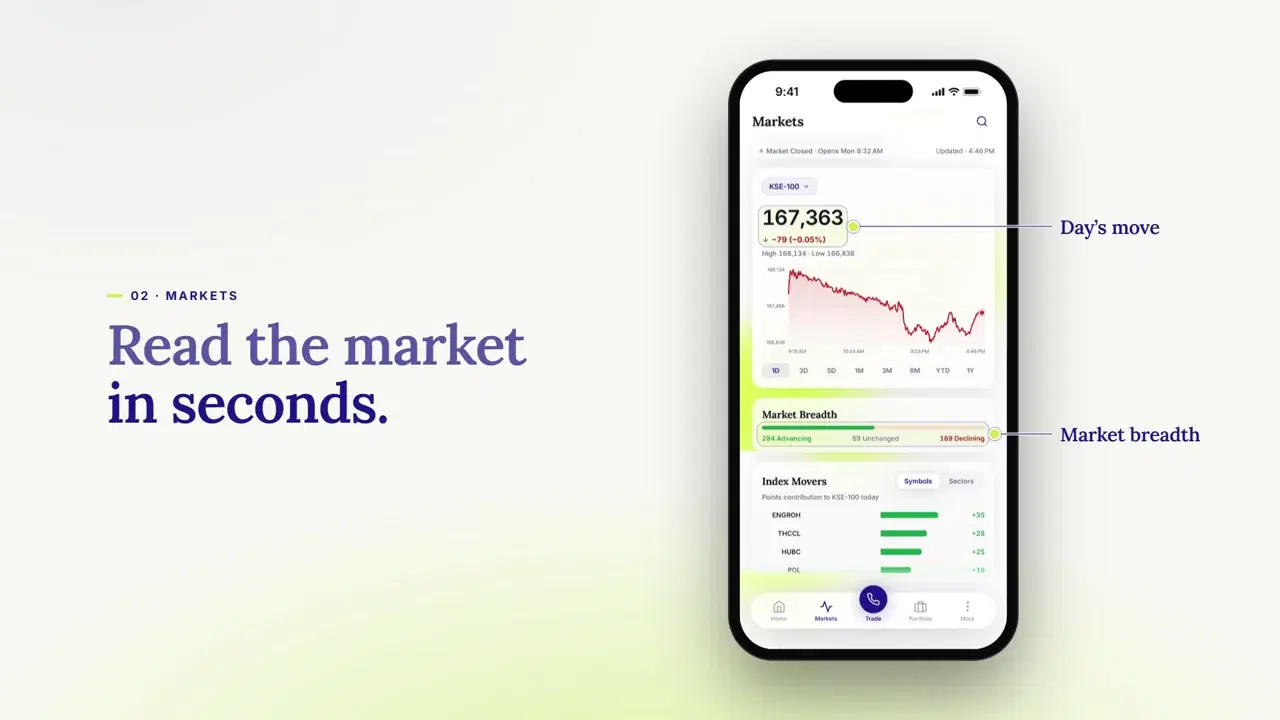
| Markets | KSE-100 and other PSX indices, market breadth, index movers, gainers and losers, most active shares and a sector heatmap | Read the session in seconds |
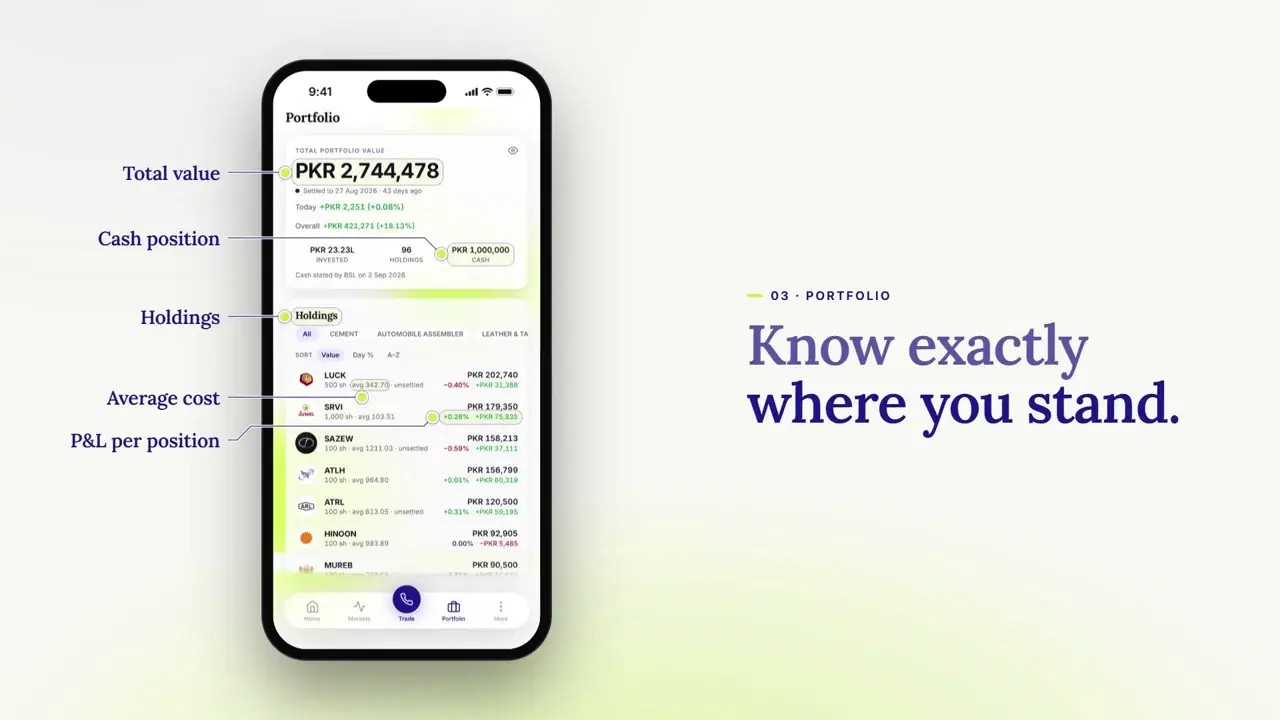
| Portfolio | Total value, cash, holdings, average cost, profit or loss per position and your sector split | Know exactly where you stand |
| Stock pages | Price chart, key metrics, financial ratios, dividend history, sector peers and recent filings | Understand a company before you act |
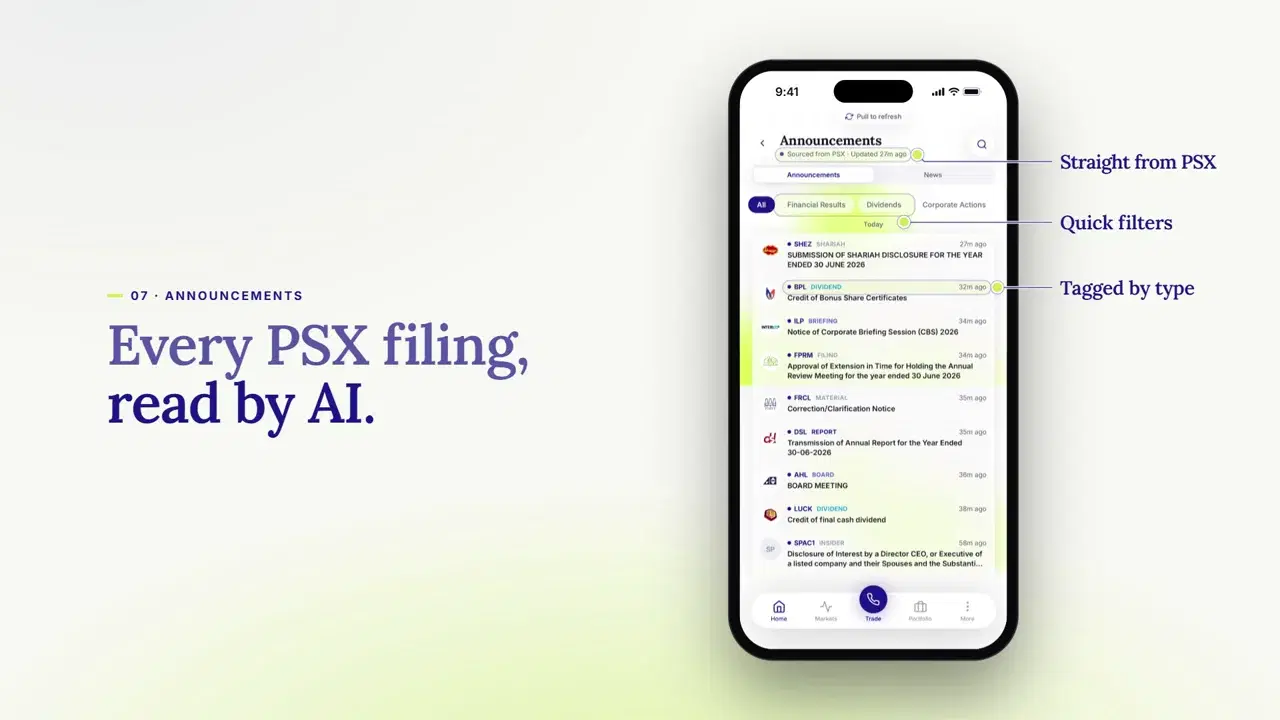
| Announcements and news | PSX filings with AI summaries and business news with short summaries | Catch what changed without reading every filing |
| Watchlist and alerts | Your chosen stocks with trend lines, plus price, volume and percentage-change alerts | Hear about moves as they happen |
| Payouts | Payout requests to your registered bank account and their history | Move cash back to your bank |
| Your broker | Your dedicated broker's contact details on one screen | Help whenever you want it |
Real-Time Prices, Movers and Alerts
Prices update in real time through the trading session. Market breadth counts how many stocks are rising against how many are falling, which tells you whether a KSE-100 move is broad or carried by a few large companies. Index movers show which names added or took away the most points, and the sector heatmap shows which sectors rose or fell the most that day.
Alerts do the watching for you. Set a price level, a volume level or a percentage change on any listed stock, and you get a notification when it's reached, even with the app closed, as long as notifications are allowed.
Your Portfolio and Trade History
Your holdings come straight from your BSL account records, so there's nothing to enter by hand. For each position you see the average cost, the current value and the profit or loss, and the sector split shows how concentrated your portfolio is.
Your full trade history sits in one log. Search it by ticker or narrow it to the last 7, 30 or 90 days when you want to check what you did and when.
Filings and News, Summarised
Company announcements arrive straight from PSX, each tagged by type, such as financial results, dividends, corporate actions and board meetings. AI summarises each one in a few lines, and quick filters narrow the list to the type you care about.
Business news from trusted sources sits alongside, each story with a short summary and a link to the full article. On the stocks our research team covers, you'll also find BSL's own analysis on the stock's page.
How Trading Works in PakPaisa
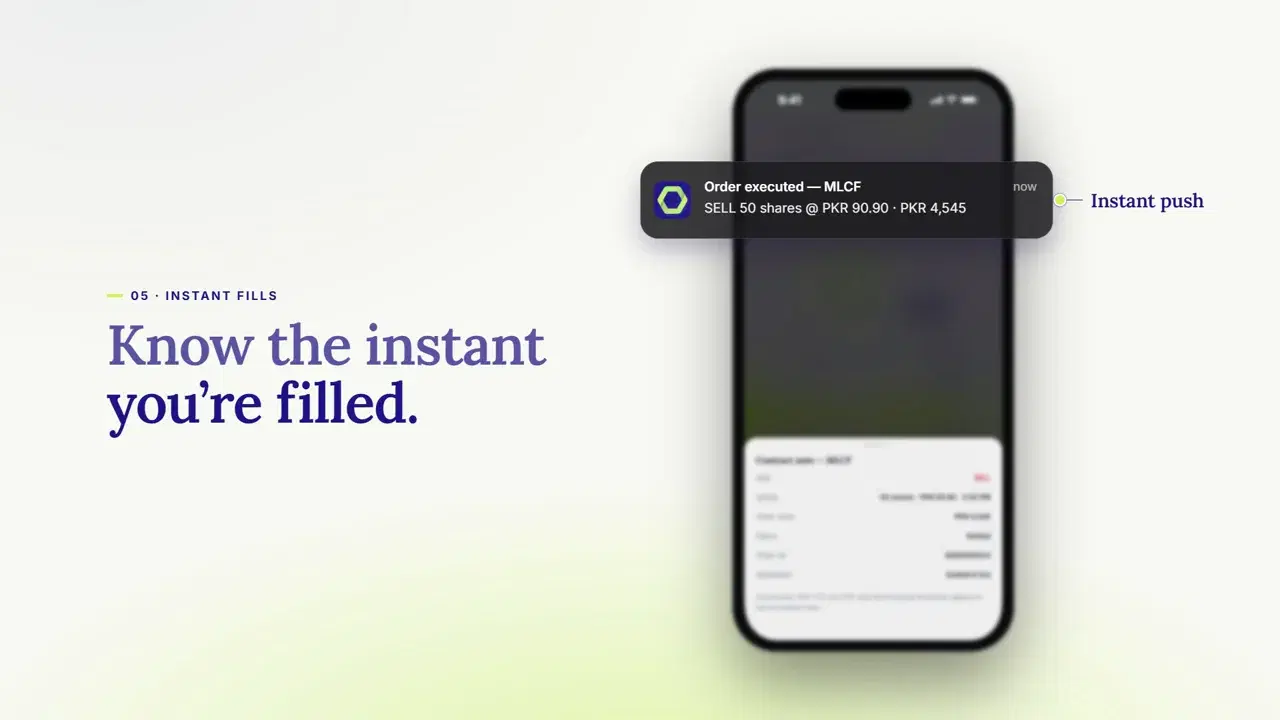
When you're ready to buy or sell, tap Trade in the centre of the bottom bar, on any screen. Once an order is filled, you get a notification with the price and the amount, and the trade appears in your log with its contract note: the official record of the trade's price, quantity and charges.
Settlement is the moment shares and money actually change hands. Under T+1 settlement, a trade settles one working day after you make it.
PSX switched to T+1 on 9 February 2026, replacing T+2, a change NCCPL announced in July 2025. Every trade in your log shows its settlement date, and our live settlement page tracks settlement across the market.
Getting Your Money Out
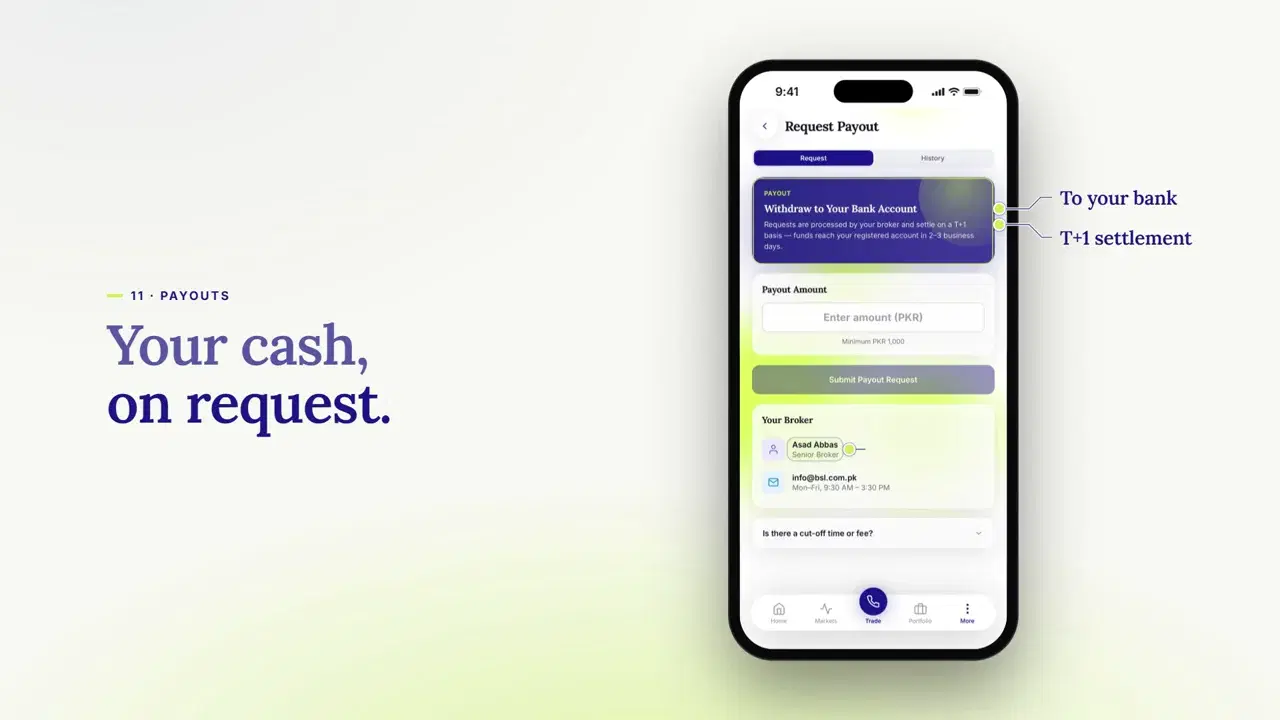
Request a payout in the app and it goes to the bank account registered with your BSL account, the only account we pay out to. The minimum request is Rs 1,000.
Requests settle on T+1, and the money then reaches your bank in 2 to 3 business days. We don't charge a fee for withdrawals, and the payout history in the app shows where each request stands.
How to Get Started With PakPaisa
Getting set up takes five steps:
- Open a BSL account. If you're new to BSL, apply online in about 10 minutes. Our guide to online account opening covers what you need.
- Download PakPaisa. It's free on the App Store for iPhones on iOS 15.1 or later, and on Google Play for Android.
- Make your first deposit. Once your account is open, a first deposit of at least Rs 5,000 from your own bank or mobile-wallet account activates trading.
- Get your sign-in details. When your deposit is credited, our team sends you your sign-in details.
- Sign in and make it yours. Turn on Face ID, Touch ID or a PIN, add the stocks you follow to your watchlist and set your first price alert.
Is PakPaisa Safe to Use?
After your first sign-in, Face ID, Touch ID or a PIN opens the app, and your fingerprint or face data never leaves your phone. Your account works on one phone at a time, and the app won't open on a jailbroken phone, one whose built-in security has been removed.
Data travels encrypted between the app and our systems. You can also ask us to delete the information the app holds, as our privacy policy explains.
What's Next for PakPaisa
A desktop version is coming soon, so you'll be able to follow the same market, portfolio and alerts on a larger screen. Until then, everything here works on your phone. If you're a BSL client, PakPaisa is ready for you today: download it and sign in.
Disclaimer: This article is for educational purposes only and should not be treated as investment advice. Stock investments carry market risk, and investors should consult a licensed financial advisor before making investment decisions.
Frequently Asked Questions
Is PakPaisa free?
Yes. It's free to download and use, and there's no platform or market-data fee.
What if I change phones?
Your account works on one phone at a time. If you get a new phone, call your broker or email customer.support@bsl.com.pk and we'll move your access to it.
What if I can't sign in?
Email customer.support@bsl.com.pk and we'll restore your access. We'll never ask for your password or verification code.
Does the app show my dividends?
Cash dividends are paid straight to the bank account registered with your BSL account, and bonus shares appear in your holdings.

Written by
Muhammad Abbas
CEO, Bhayani Securities (Pvt) Ltd.
Need Guidance?
Book a free consultation with our licensed investment advisors.