
BSL Account Opening Form Guide: Fill Every Screen Correctly
By Muhammad Abbas · · 9 min read
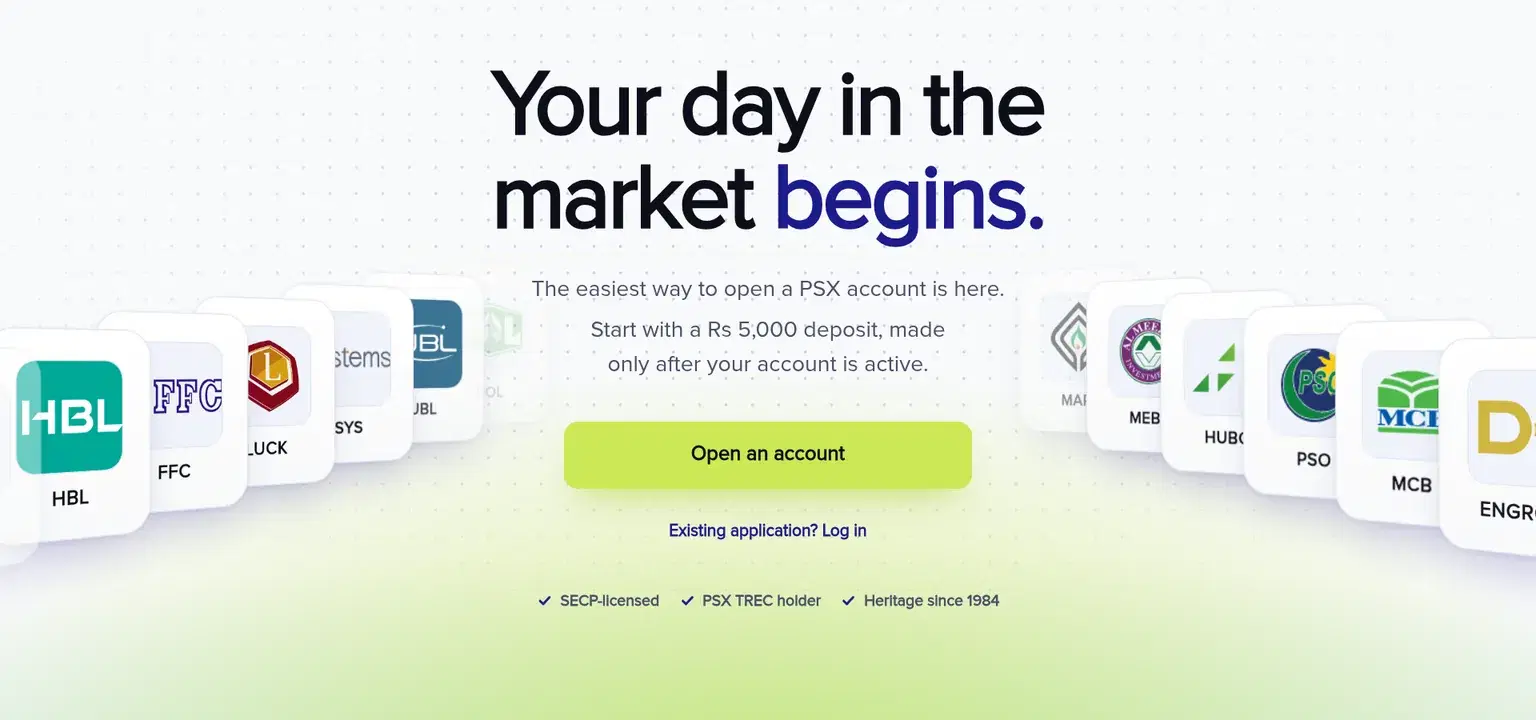
This BSL account opening form guide explains what to prepare and how to complete the five application sections: Account type, Identity, Verification, Profile, and Documents & signature. The application is shown as taking about 10 minutes, and your answers are saved as you progress.
A phone with a camera is the easiest device because you can photograph your original CNIC and supporting documents within the form. You can also apply on a computer if the required photographs are ready. Before you start the BSL application, keep your original CNIC, mobile phone, email address, IBAN, proof of IBAN, and any documents linked to your account type nearby.
BSL account opening documents checklist
Every applicant needs clear photographs of the original CNIC front and back, proof of IBAN, and a signature. Normal account applicants also need address and income evidence, while Sahulat applicants do not need income proof.
The table shows which supporting documents apply to different applicants. A document is useful only if the required names, numbers, dates, and addresses can be read clearly.
| Applicant or situation | Documents required | What must be readable |
| Every applicant | Original CNIC front and back, proof of IBAN, signature | CNIC photograph, number, address and barcode; complete IBAN and account title; clear signature |
| Normal account | Address proof and income proof | Applicant's name, full address and date on address proof; relevant income details |
| Normal account with salary income | Salary certificate and 3 months of bank statements | Salary details and all bank statement pages |
| Normal account with business income | Letter on business letterhead | Type of business and annual income |
| Normal account applicant who is a student or homemaker | Details of the person funding the account | Information requested about the funding person |
| Mobile registered to a relative | Proof of relationship, such as a NADRA Family Registration Certificate | Relationship and identifying details |
| Applicant claiming Zakat exemption | Signed CZ-50 declaration | Name, CNIC number and signature |
| Applicant adding a nominee | Nominee's CNIC front and back | Nominee's identifying details |
| Non-Pakistani national | Passport photograph page or other identity card held | Identity details and photograph |
A recent utility bill or bank statement in your name can serve as Normal account address proof if the full address and date are visible. The preferred general income document is an income tax return. Proof of IBAN can be a cheque leaf, bank statement, or account certificate showing the complete IBAN and account title.
See the separate Sahulat account requirements if you want to check that route before completing the form.
Step 1: Choose Sahulat or Normal
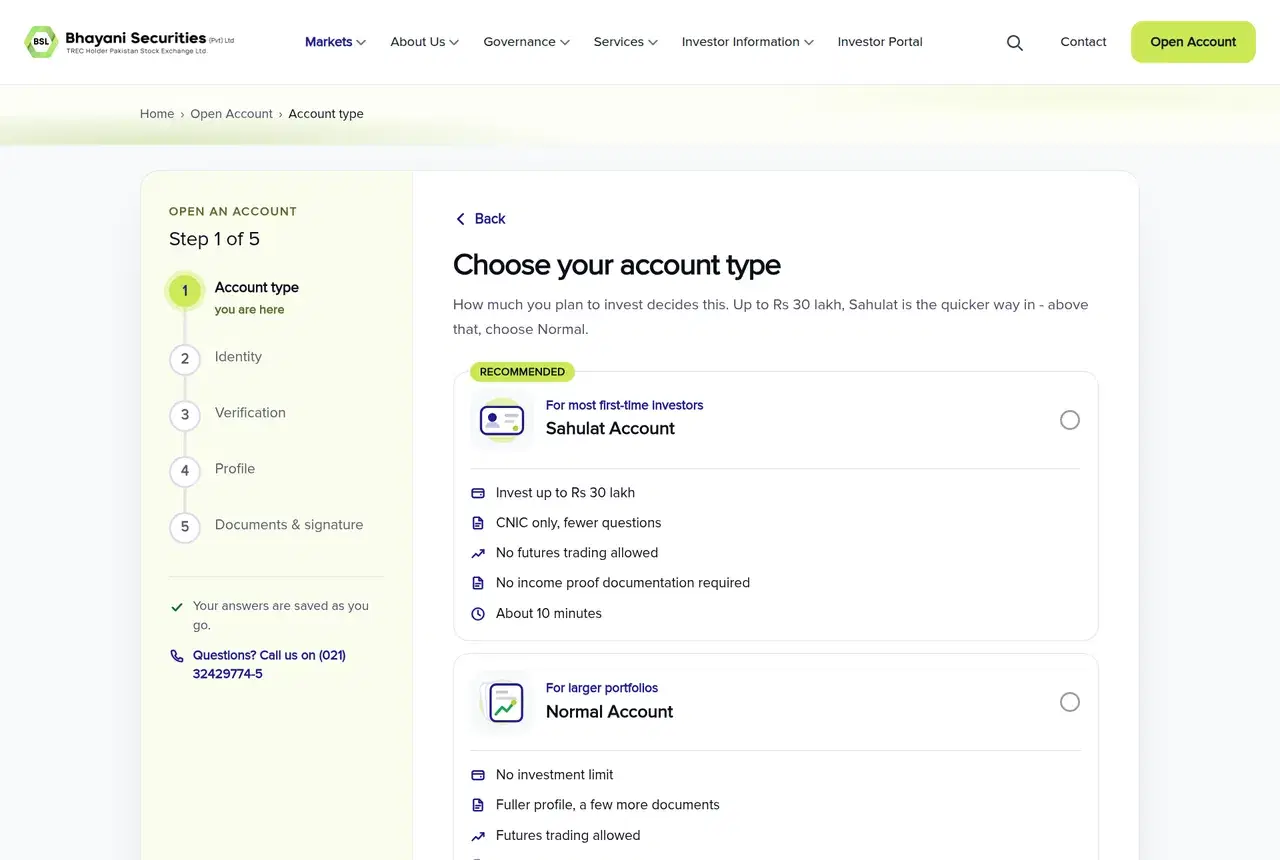
Nothing is pre-selected on the account-type screen. Sahulat asks fewer questions, requires CNIC and proof of IBAN, does not require income proof, and does not permit futures trading. Normal asks for address and income proof, includes marital status, and permits futures trading.
Both choices are shown as taking about 10 minutes. You can start with Sahulat and upgrade later while retaining your account and holdings. After you select a card, the screen briefly displays “Getting your session ready.”
Check the later document requirements before selecting an account type. The account-type comparison can help you review the differences first.
Step 2: Enter your identity and bank details
The Identity section proceeds through CNIC details, CNIC dates, contact details, mobile ownership, bank details, and the application password.
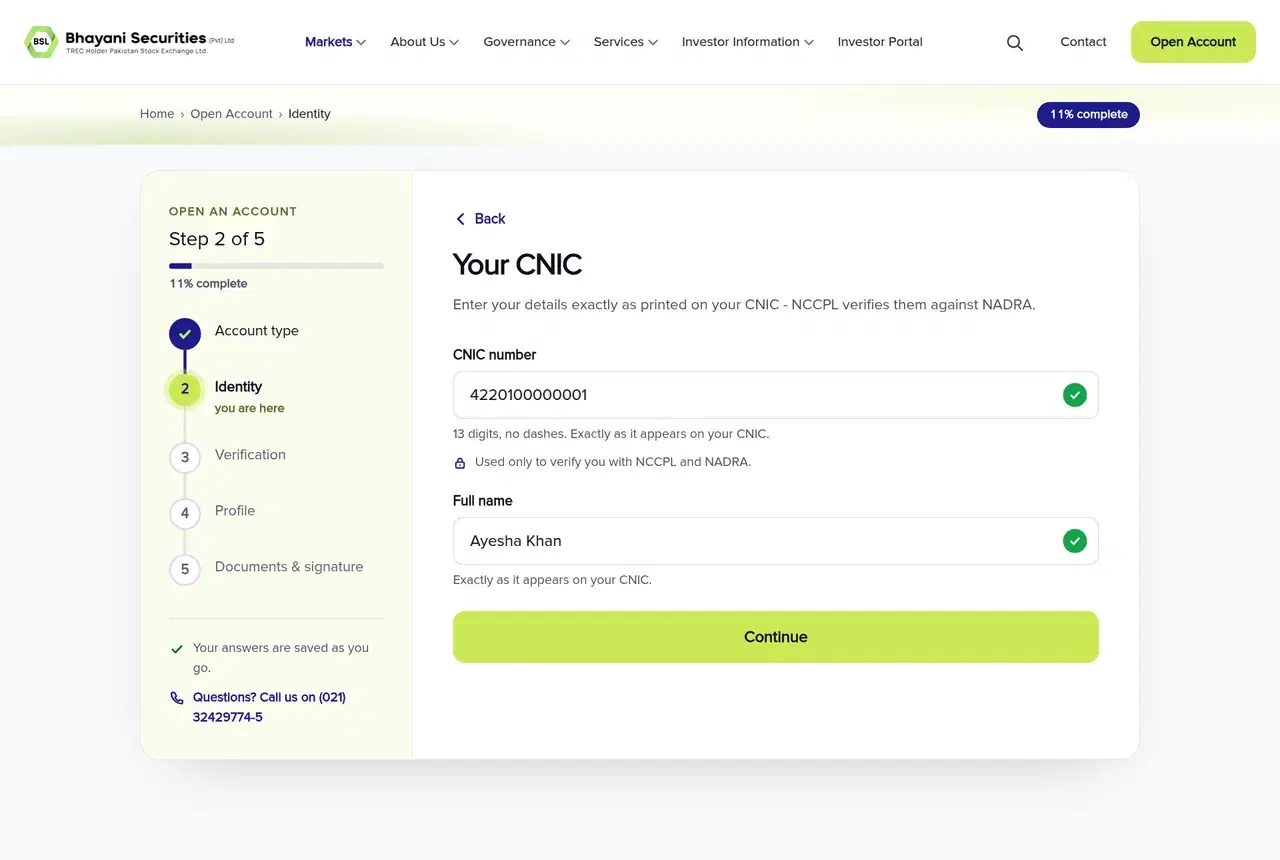
Enter your CNIC as 13 digits without dashes. Your full name must match the CNIC exactly. The form does not accept quotes or listed symbols in the name field. Enter the issue and expiry dates in DD/MM/YYYY format. If your card is valid for life, select “My CNIC is valid for life.” An expired CNIC is refused, so renew it before applying.
Your mobile number must contain 11 digits and start with 03. The preferred route is a number registered in your name. If it belongs to a relative, select the relationship and enter the relative's CNIC and exact name. You must also provide relationship evidence, such as a NADRA Family Registration Certificate.
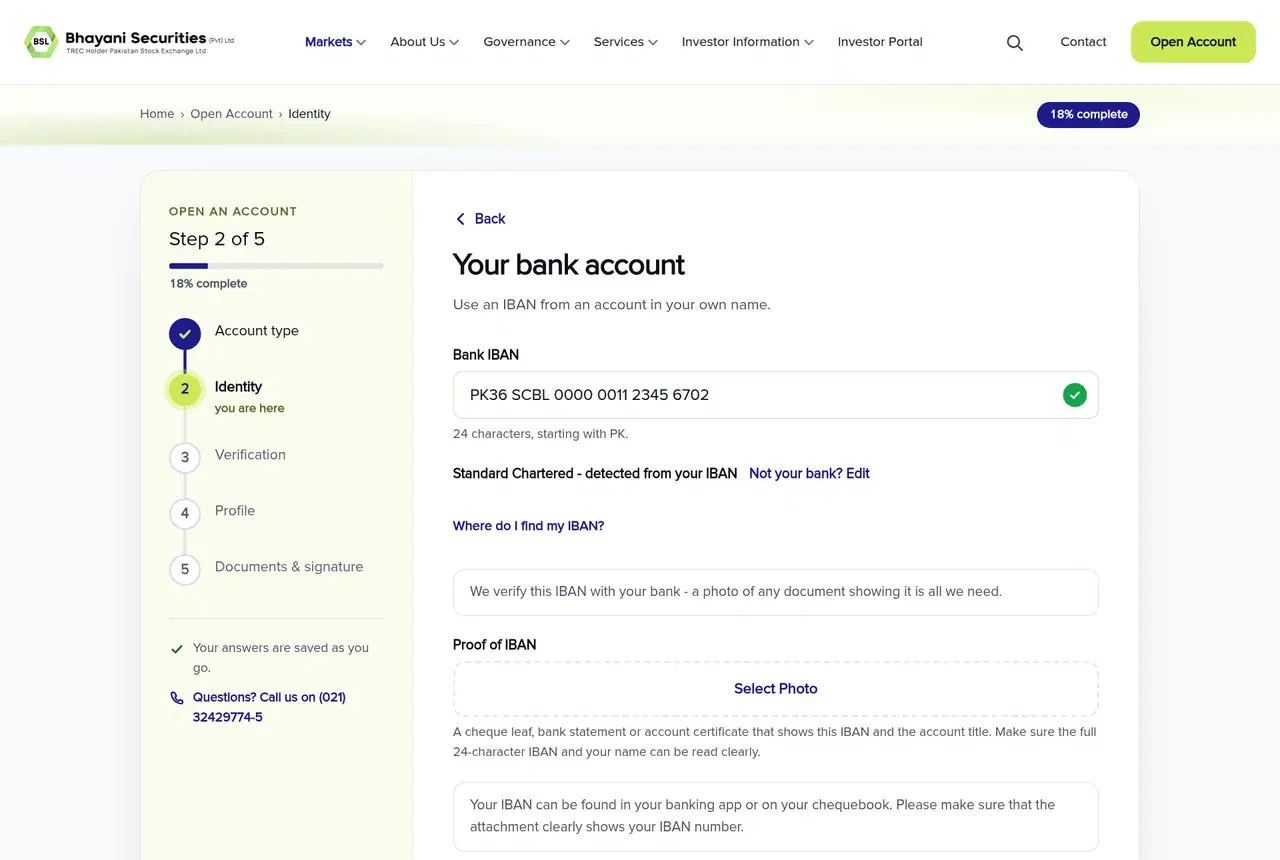
Enter the 24-character IBAN of an account held in your name. It must start with PK. The form checks the digits while you type and detects the bank from the IBAN. You can usually find the IBAN in your banking app under account details or on your cheque book.
Upload proof showing the complete IBAN and account title. A cropped image that hides part of the IBAN may cause a review request even if the number entered in the form is correct.
Create a password containing at least 8 characters, including a letter and a number. Confirm it, accept the KYC consent, and select “Save & send my code.” Keep the password safe because you need it with your CNIC to resume the application.
Check the CNIC spelling, dates, mobile ownership, and every IBAN character before continuing. Identity details become locked after NCCPL verification.
Step 3: Verify your mobile with the NCCPL code
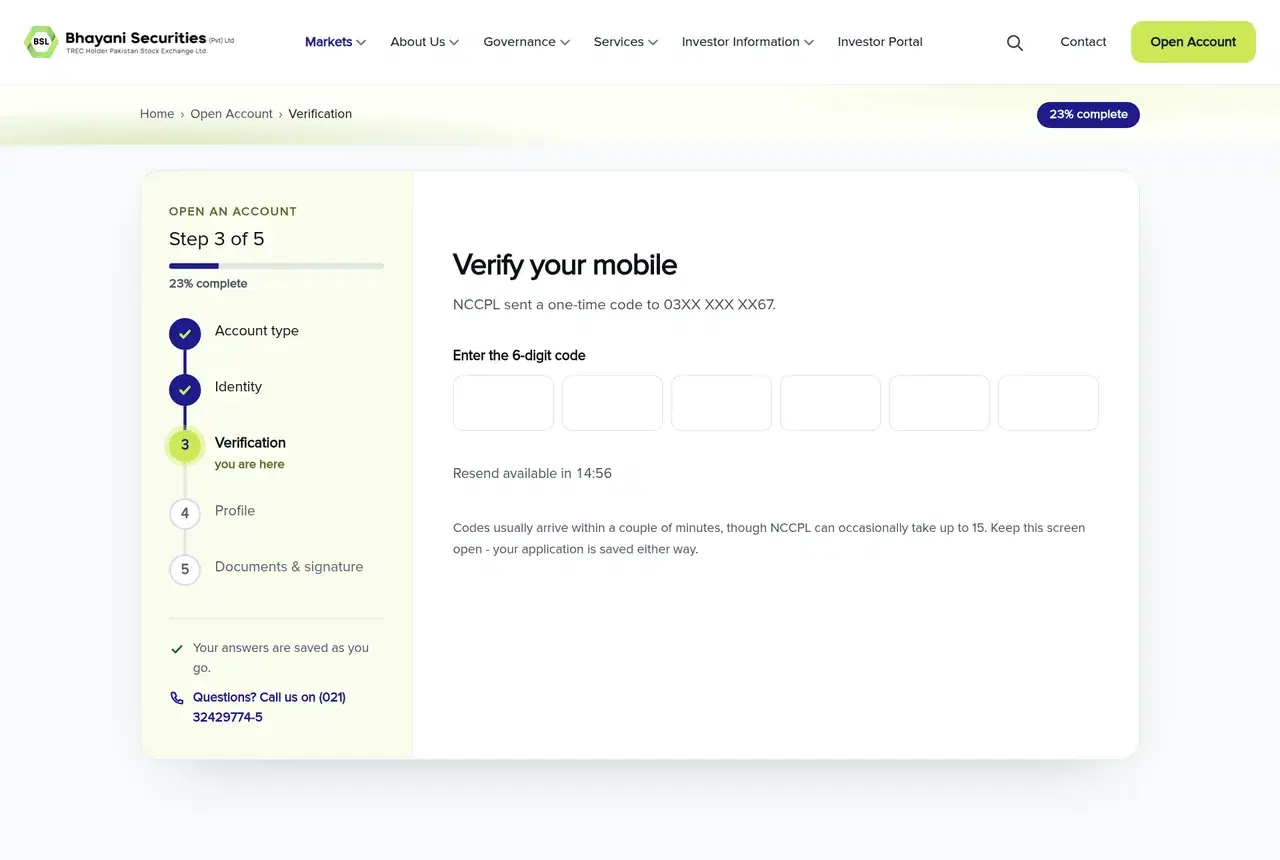
NCCPL sends a 6-digit verification code by SMS. Enter the digits in the six boxes, and the form checks the code automatically. You can read more about NCCPL in the NCCPL glossary entry.
The code can take up to 15 minutes to arrive. Keep the screen open while waiting. After the countdown, use “Send the code again” if no SMS has arrived.
If the form says the code is incorrect, compare it with the SMS and enter it again. If it has expired, select “Get a new code.” Your application remains saved in either case.
Review your identity information before verification. Once NCCPL has verified it, those details cannot be edited within the form.
Step 4: Complete your investor profile
The Profile section asks about another broker, family names, personal details, work and income, addresses, banking and Zakat, finances, regulatory matters, and account preferences. Normal applicants also see questions concerning power of attorney and a nominee.
If you have an account with another broker, the form asks for your UKN, a 13-digit central KYC number. It appears on your other broker's account statement. You can also find it through CKO Information in NCCPL's NCConnect app. You may initially leave it blank, but BSL will require it before opening the account.
Long fields such as occupation, income source, city, and bank are searchable. If you do not have a job, use a description that fits your circumstances, such as Student, Retired, Self-employed, or Homemaker.
Enter your house or flat number and street in address line 1. The form accepts only letters, numbers, spaces, and the listed address symbols. Your permanent address defaults to your mailing address. Untick “Same as my mailing address” only if the addresses differ.
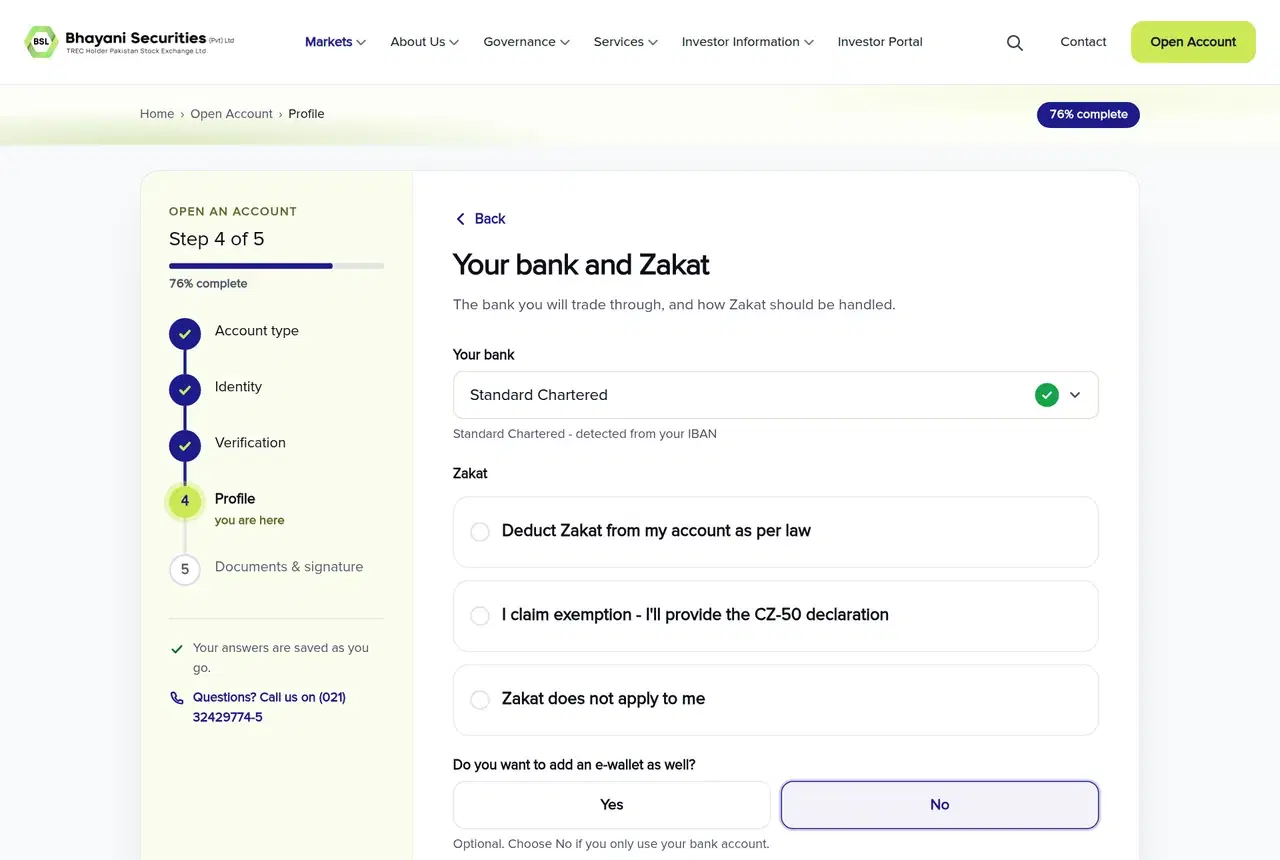
For Zakat, you can choose deduction under the applicable law, claim an exemption, or state that Zakat does not apply. An exemption requires a signed CZ-50 declaration with the name, CNIC number, and signature readable.
If you add an e-wallet, enter its 24-character IBAN beginning with PK. Do not enter the wallet's 11-digit mobile number. The IBAN can be found in the wallet app under My Account or Account details.
The regulatory screen asks every applicant about politically exposed person status, anti-money-laundering declarations, beneficial ownership, and US tax matters. Answer according to your circumstances. BSL retains these compliance answers, and they are not sent to NCCPL.
Account preferences include CDC IVR, described in the form as a free phone service for checking share holdings, and an optional referral field. Where conditional questions appear, complete them instead of leaving applicable information out.
Step 5: Upload documents, sign, review, and submit
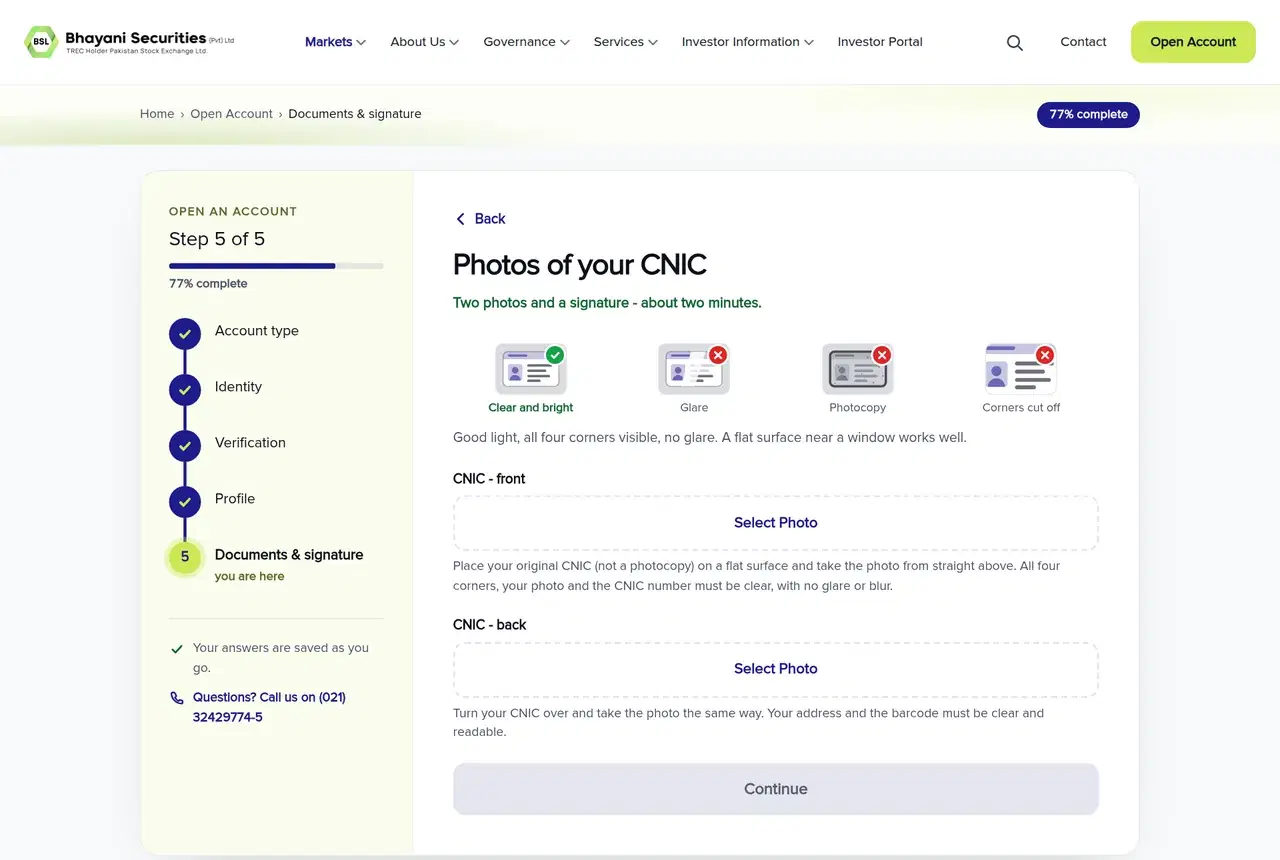
Photograph the original CNIC, not a photocopy. Put it on a flat surface in good light, hold the camera straight above it, and keep all four corners inside the frame. Avoid glare and check that the photograph and CNIC number on the front are clear. On the back, the address and barcode must be readable.
The form accepts JPG and PNG photographs, not PDF document uploads. Large photographs are reduced automatically to under 600 KB. If an image remains too large or unclear, take a closer photograph showing only the document. Use “Retake” or “Photo not clear?” if the preview has blur, darkness, glare, or cropped corners.
For the signature, choose Draw and sign with a finger or stylus. You can instead upload a clear photograph of a dark-pen signature on plain white paper. BSL prepares the signed account-opening form when you submit.
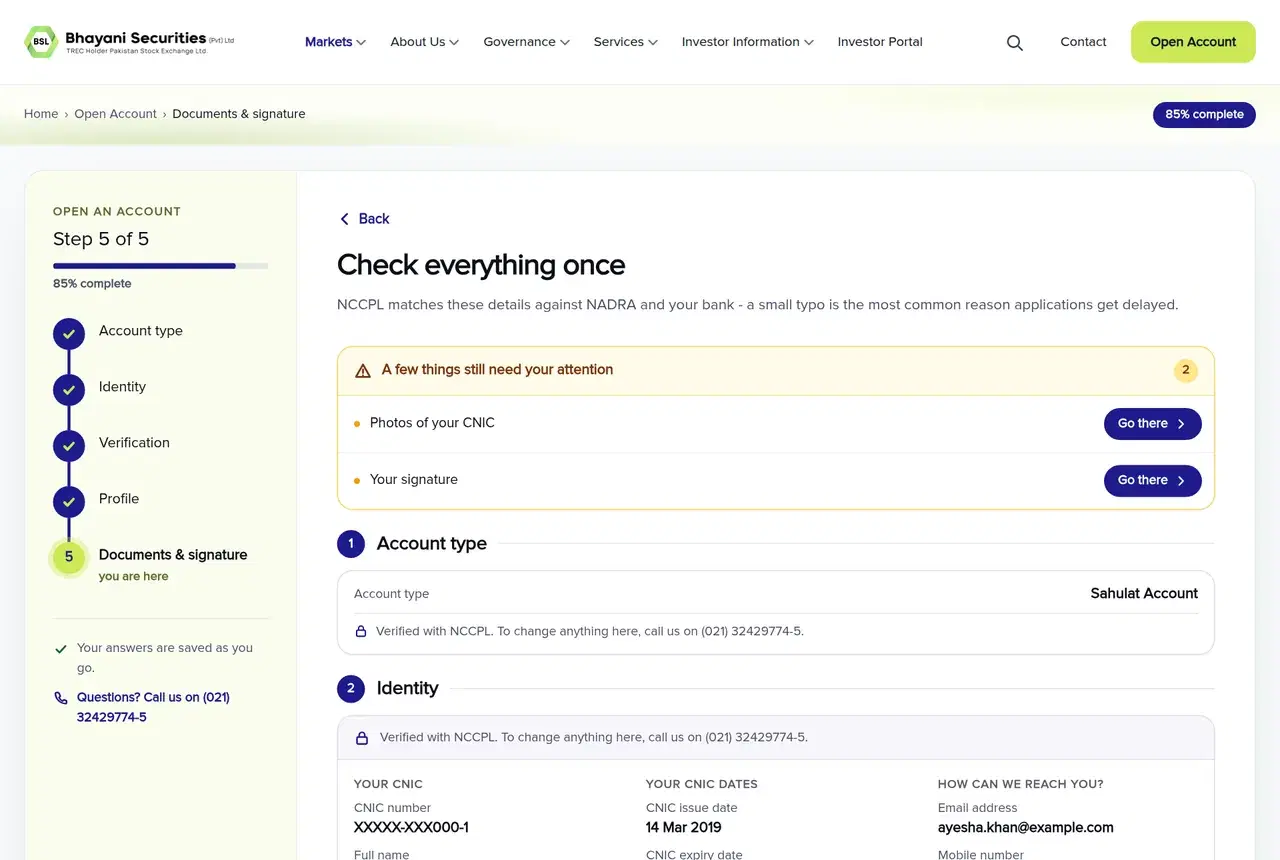
The “Check everything once” screen displays each completed section. Select “Edit” beside a section to make a change. If the review reports that something needs attention, choose “Go there” to reach the relevant item.
Before submission, open and read the Terms and Conditions, Risk Disclosure Document, Commission Slabs and Other Charges, and Declarations. Each acceptance becomes available only after you scroll to the end. The acceptances are not pre-selected.
Make a final comparison against your documents, then select “Submit My Application.” A BSL reviewer checks the application before it proceeds through the remaining account-opening process.
What happens after you submit the application?
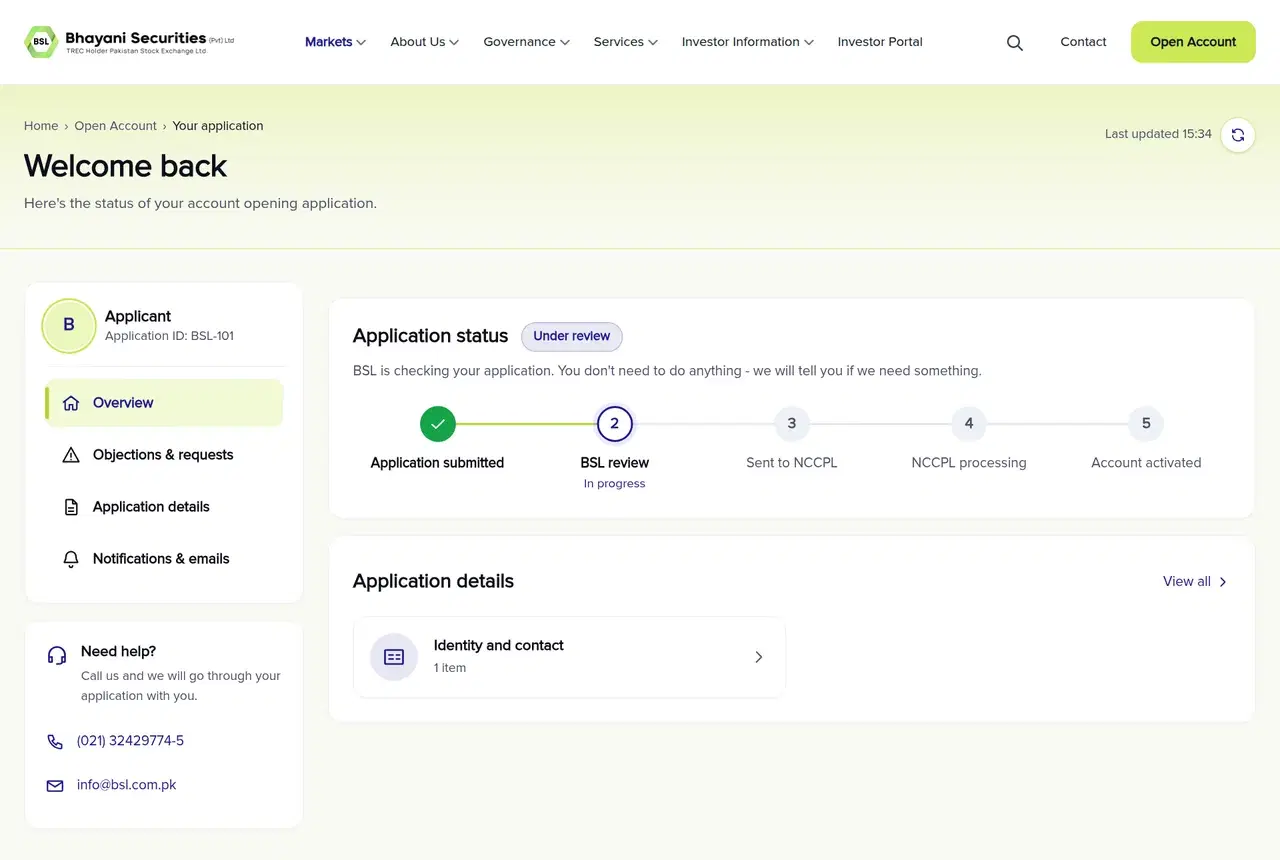
Your dashboard displays the Application ID, current stage, Overview, Objections & requests, Application details, and Notifications & emails. Submitted information is read-only except for specific items BSL places under Objections & requests.
Dashboard stages can include Under review, Action needed, Response received, With NCCPL, On hold, Approved, and Rejected. Under review requires no action. If the status changes to Action needed, open Objections & requests and respond to the listed item.
BSL aims to link a complete application within 1 business day of receiving it and open the account within 1 business day of linking. The status page displays expected dates. These are turnaround targets for complete applications, while corrections or missing documents can extend the process.
You can log in to your application using your 13-digit CNIC without dashes and your password. After approval, a first deposit of at least Rs 5,000 from your own bank or mobile-wallet account activates trading. The deposit remains in your account for investment and is not a fee.
Common BSL account opening form errors
- “We couldn't continue your application online”: Your saved application is not lost. Contact BSL for help.
- Forgotten password: Use the password recovery page. The reset link expires after 30 minutes, so also check your spam folder promptly.
- “Waiting for you”: Open Objections & requests. Correct the value, upload a clearer replacement document, or answer the question shown.
- A response is returned: Read BSL's note and select “Answer again.”
- Technical or application help: Call (021) 32429774-5 or email info@bsl.com.pk.
BSL account opening form guide summary
Before selecting “Submit My Application,” check six points: your name matches the CNIC, the CNIC is current, mobile ownership is stated correctly, the complete IBAN belongs to you, every required document is readable, and the review screen contains no unresolved item. Following this BSL account opening form guide helps you catch the form errors most likely to trigger a correction request.
Disclaimer: This article is for educational purposes only and should not be treated as investment advice. Stock investments carry market risk, and investors should consult a licensed financial advisor before making investment decisions.
Frequently Asked Questions
What documents do I need for a BSL account?
Every applicant needs clear CNIC front and back photographs, proof of IBAN, and a signature. Normal account applicants also need address and income proof. Other documents depend on answers about salary, business income, mobile ownership, Zakat exemption, nationality, funding, and a nominee.
Does the mobile number have to be registered in my name?
The preferred option is a mobile number registered in your name. If the number belongs to a relative, enter the relative's relationship, CNIC, and exact name, then provide relationship evidence such as a NADRA Family Registration Certificate.
What can I use as proof of IBAN?
You can provide a cheque leaf, bank statement, or account certificate. It must clearly show the complete 24-character IBAN and the account title, and the account must be in your name.
Can I continue my application on another device?
Yes. Your answers are saved as you progress. Use your 13-digit CNIC without dashes and the password created during the Identity section to log in and continue from another device.
What should I do if my NCCPL code does not arrive?
Keep the verification screen open because delivery can take up to 15 minutes. After the countdown, select “Send the code again.” If a received code has expired, use “Get a new code.”
Can I correct my details after submitting?
Submitted details are read-only on the dashboard. If BSL needs a correction, replacement document, or answer, it appears under Objections & requests. Those requested items are the only parts you can change after submission.

Written by
Muhammad Abbas
CEO, Bhayani Securities (Pvt) Ltd.
Need Guidance?
Book a free consultation with our licensed investment advisors.